
📋 BLOG SUMMARY
Salesforce CTI integration connects your phone system directly to Salesforce so every call, log, and follow-up lives inside the CRM. This guide breaks down how it works technically, where implementations fail, how to compare your options, and what a Salesforce-native CTI approach actually delivers for sales and service teams calling at volume.
A rep hangs up, switches tabs, and tries to remember what the caller just said. Four minutes pass before notes get typed, a disposition gets picked, and a follow-up task gets created somewhere that isn’t the CRM. Multiply that by 50 calls a day across a 10-person team and you’ve burned over 30 selling hours a week on work that has nothing to do with selling. Salesforce CTI integration closes that gap. It connects your phone system to Salesforce so calls, records, and follow-ups all live in one place instead of three different ones.
This guide covers what Salesforce CTI integration actually is, how it works under the hood, where setups go wrong, the methods you can choose from, and how a Salesforce-native CTI like 360 CTI changes the calculation for sales, service, and operations teams.
Turn every conversation to conversion with AI-Powered Salesforce telephony solution.
Check out this feature →How Does Salesforce CTI Integration Improve Call Center Efficiency
Salesforce CTI integration improves call center efficiency by automating screen pops, auto call logging, and routing so agents spend their time talking to customers instead of hunting for records and updating data by hand. It also gives managers structured call data, transcripts, dispositions, sentiment, and recordings tied to the right record, so coaching and reporting run on real patterns instead of guesswork.
Here’s where each gain actually comes from.
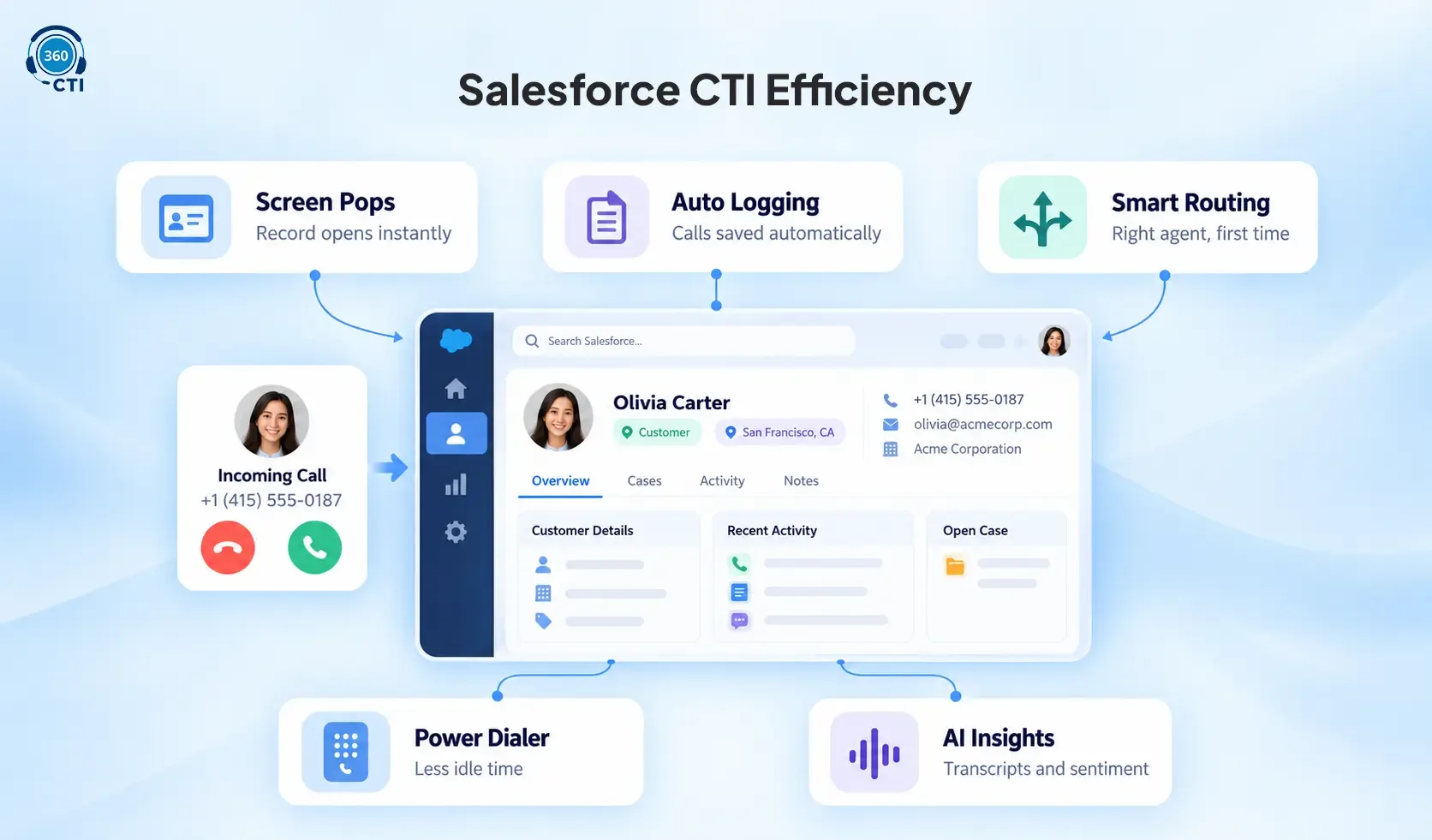
Screen pops cut handling time before the conversation even starts. When a call connects, Salesforce already knows who’s calling and pulls up the right lead, contact, or case. Agents stop spending the first thirty seconds of every call asking a customer to repeat their account number.
Auto-logging removes a step that used to depend on memory. Call direction, duration, timestamp, and outcome write back to the record automatically. Nobody’s reconstructing what happened on a call from a sticky note an hour later, and managers stop losing trust in CRM data because reps forgot to log half their calls.
Routing gets calls to the right agent on the first try. Skill-based and queue-based routing means a billing question doesn’t land with a sales rep who has to transfer it twice before it reaches someone who can actually help. Fewer transfers means shorter calls and fewer frustrated customers repeating themselves.
Power dialers and calling lists cut dead time between calls. Instead of clicking into a record, copying a number, dialing, then logging the result, reps move through a prioritized list with outcomes captured automatically. For a 10-person outbound team making 50+ calls a day, that’s the difference between real selling time and time spent managing the mechanics of calling.
AI-driven data turns coaching into something measurable. Transcripts, sentiment scores, and call tags let managers spot patterns across hundreds of calls instead of randomly sampling a handful and hoping they’re representative. That’s a faster, more consistent feedback loop than most contact centers were running even two years ago.
None of this is automatic just because a CTI tool gets installed. Efficiency gains depend on clean phone data, clear routing rules, and disposition lists agents will actually use, which is exactly why the setup considerations below matter as much as the tool itself.
What Is Salesforce CTI Integration?
Salesforce CTI integration connects a computer telephony integration system with Salesforce so phone interactions can work with CRM data in real time. The CTI layer sits between the calling platform and Salesforce, moving data both directions during and after every call. At a foundational level, Salesforce telephony integration handles:
- Recognition of inbound and outbound calls
- Mapping of phone numbers to Salesforce records
- Automatic activity creation tied to CRM data
- Two-way interaction between call events and Salesforce workflows
A Salesforce CTI solution doesn’t replace your phone system. Here’s the distinction that trips people up: native Salesforce calling, the basic Salesforce Dialer, handles light click-to-dial. It wasn’t built for power dialing, multi-level IVR, or skill-based routing. A real CTI integration, whether built on Open CTI, a third-party AppExchange package, or Service Cloud Voice, is what gets you those capabilities without making reps leave the CRM.
📌 DID YOU KNOW
Salesforce’s classic Open CTI framework is scheduled for retirement on February 28, 2028. Teams evaluating a Salesforce CTI vendor today should confirm their provider is already built on Lightning-compatible Open CTI for Salesforce Lightning Experience, not the Classic version, to avoid a forced migration mid-contract.
How Salesforce CTI Works: Screen Pops, Call Logging, and IVR
Open CTI Salesforce is the browser-based JavaScript API most third-party CTI vendors build on. It lets you embed a Salesforce softphone inside the Lightning interface without installing desktop adapters, and it’s platform-agnostic by design. Methods like saveLog() write call activity back into Salesforce records, screenPop() opens the relevant record automatically, and get CallCenterSettings() reads your call center configuration.
Open CTI for Lightning Experience and Open CTI for Salesforce Classic are separate APIs. You can’t swap code between them, so know your org’s interface before evaluating a vendor.
The three call flows that drive day-to-day CTI value:
Screen pops happen when Salesforce automatically opens a relevant record the moment a call connects. The CTI system passes the number to Salesforce, Salesforce runs the lookup, and the matching lead, contact, or account opens on the agent’s screen. No searching.
Auto call logging happens after the conversation ends, when call events write back to Salesforce automatically. These logs typically carry duration, direction, timestamps, and the related record. It doesn’t depend on someone filling in a form.
IVR and routing logic can pull from Salesforce data too. Calls route differently based on customer type, case status, or account ownership, which are attributes that live in the CRM, not the phone system. The calling platform handles routing mechanics, but Salesforce data decides where the call goes.
Setting Up Salesforce CTI: What Teams Get Wrong
Most CTI problems aren’t technology failures. They’re unclear rules. When teams skip defining call flows, match logic, and logging standards up front, they end up with wrong screen pops, inconsistent activity history, and reps who quietly stop logging calls altogether.
1. Decide Where Calls Should Log First
Lead, contact, account, opportunity, or case: pick based on team function. Sales teams typically need lead and opportunity logging. Support teams need case-level logging. If this isn’t decided up front, call data fragments across objects and reporting becomes guesswork.
2. Clean Your Phone Number Data Before Go-live
Missing country codes, inconsistent formatting, duplicate records, and old leads holding active customer numbers all break screen pop accuracy before it gets a chance to work. Standardize formats and define match priority explicitly.
3. Keep Dispositions Short
Sales teams do fine with: Connected, No Answer, Voicemail, Interested, Not Interested, Follow-up Needed. Long disposition lists kill adoption and produce noisy reports nobody trusts.
4. Separate Inbound and Outbound Flows
Sales and support need different experiences. Forcing one universal call flow onto both satisfies neither.
5. Assign a Clear Configuration Owner
Someone needs to own CTI changes, QA, and ongoing maintenance, or configuration drift becomes the norm within a quarter.
For a step-by-step look at setting up your call flows correctly, our Salesforce VoIP call center setup guide covers the full configuration process.
Salesforce CTI Integration Methods Compared
Salesforce offers more than one path into CTI. Your choice depends on your existing telephony stack, budget, scalability needs, and how much customization you actually need versus think you need.
| Integration Method | Description | Best For | Pros | Cons |
|---|---|---|---|---|
| Salesforce Open CTI | Browser-based JavaScript API embedding telephony directly into Salesforce | Teams needing a customizable, deeply integrated CTI | Platform-agnostic, highly customizable, native Salesforce console experience | Requires development effort, may not support every legacy phone system |
| CTI Connectors (AppExchange) | Pre-built integrations from vendors like 360 CTI, Genesys, RingCentral, Five9, Aircal | Teams wanting fast setup without heavy in-house development | Quick deployment, vendor support, built-in features like analytics and AI routing | Customization is bounded by vendor architecture, ongoing license costs |
| Custom CTI via Salesforce APIs | Fully tailored build using Salesforce APIs and custom development | Enterprises with complex or hybrid telephony needs | Full control over UX and workflow, can bridge internal or legacy systems | High development cost, long implementation timeline |
Most growing sales and service teams land on the AppExchange route because the development cost of building Open CTI from scratch rarely pays for itself unless your call workflows are genuinely unusual.
Budget plays a bigger role here than most evaluation frameworks admit. Custom CTI via Salesforce APIs sounds appealing on a feature checklist, but the development hours add up fast once you factor in screen pop logic, disposition mapping, and ongoing maintenance every time Salesforce ships a release update. AppExchange CTI connectors absorb that maintenance burden into the vendor’s roadmap instead of yours, which is usually the bigger win than any single feature comparison.
Want the deeper technical breakdown of how CTI maps to Salesforce objects?
Read this blog post →Native Salesforce Calling vs. Salesforce CTI Integration
This is the comparison most decision-makers actually need to make first, before picking a vendor.
| Evaluation Area | Native Salesforce Calling | Salesforce CTI Integration |
|---|---|---|
| Best fit | Light, occasional voice needs | Advanced, high-volume calling workflows |
| Calling controls | Basic click-to-dial | Click-to-call, dialer, transfer, hold, mute, recording |
| Inbound routing | Limited, depends on native setup | IVR, queues, sticky agent, skill-based routing rules |
| Outbound productivity | Fine for light calling | Built for high-volume outreach |
| CRM context | Standard Salesforce experience | Screen pop with deeper record matching |
| Lead capture | Often needs extra configuration | Can auto-create leads from new inbound calls |
| AI support | Depends entirely on setup | Transcripts, summaries, sentiment, coaching baked in |
| Reporting | Standard Salesforce reports | Salesforce reports plus dedicated call analytics |
| Best for | Standard, low-volume voice use cases | Sales, service, and ops teams with complex call flows |
How 360 CTI Fits Into Your Salesforce CTI Strategy
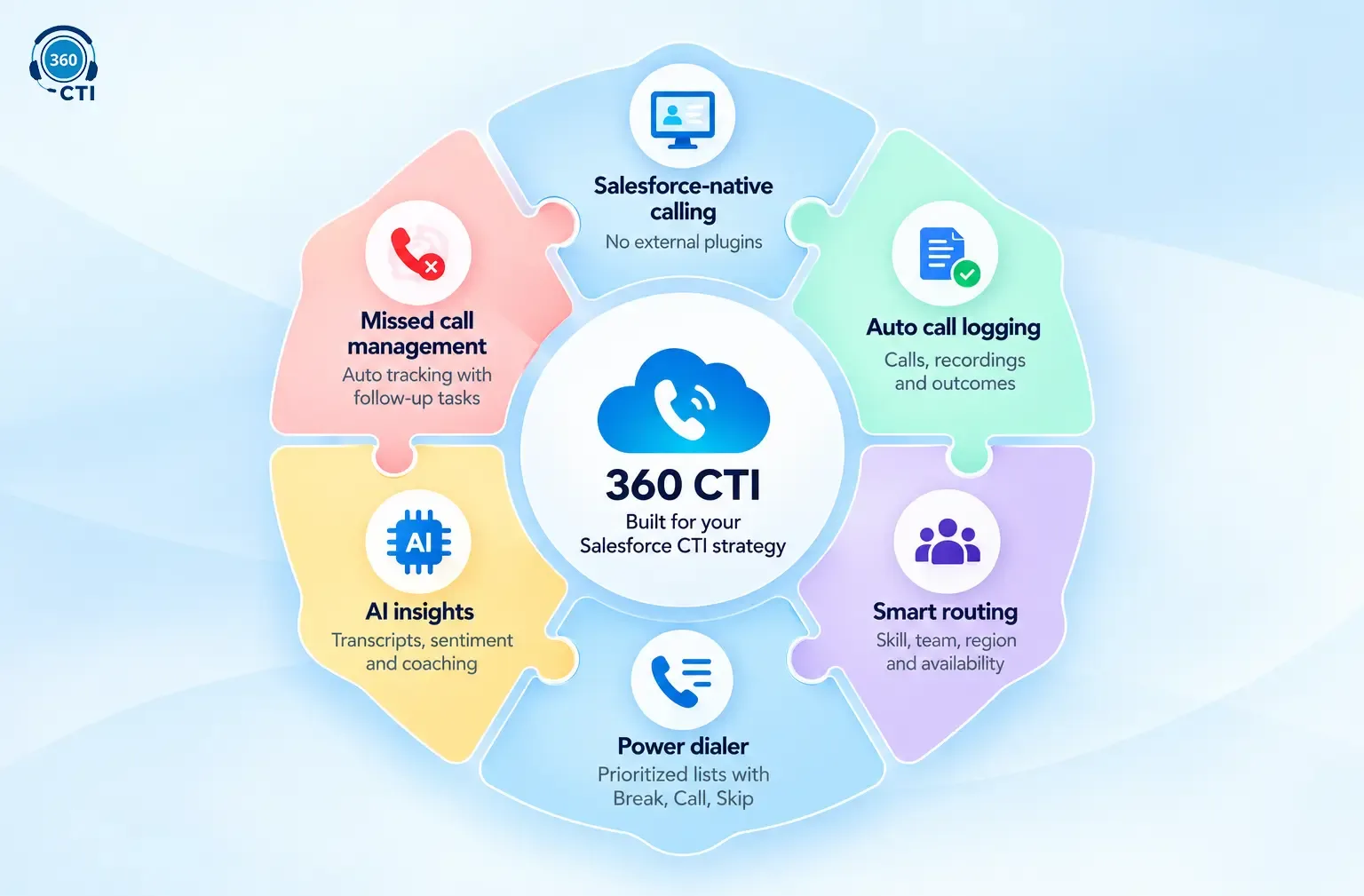
It keeps inbound and outbound calling fully Salesforce-native. No external plugins required. Reps get instant contextual screen pops so the right lead, contact, case, or account opens before they pick up. Calls, recordings, and outcomes log automatically through auto call logging without anyone touching a form. Smart calling lists let outbound teams work through prioritized contacts, and bulk auto-dialing comes with Break, Call, and Skip controls so reps can pause mid-list without losing their place.
On the support side, call center CTI routing through 360 CTI handles skill, team, region, business hours, customer history, and agent availability, which cuts blind transfers. Missed calls get tracked automatically with follow-up tasks attached, so nothing falls through during a busy shift.
The AI layer adds real-time call transcription, live sentiment detection, automatic call tagging, and coaching insights that give managers actual data to work from. Explore the full AI call automation feature set to see how it fits into a Salesforce workflow.
A few specifics worth knowing:
- DND opt-outs are automatic. Numbers that opt out get skipped during bulk dialing automatically, no manual list-scrubbing.
- Auto-forwarding scales to nine numbers. If the primary agent doesn’t pick up, the call rings up to nine forwarded numbers.
- Voice broadcast is delivered through 360 CTI, not native to Salesforce. Salesforce doesn’t ship voice broadcast functionality. It’s a capability 360 CTI brings into your Salesforce workflow, which matters if you’re comparing vendors on this feature.
Conclusion
Salesforce CTI integration is the point where a phone call stops being just an event and starts being usable CRM data. Done right, every call strengthens your pipeline, sharpens your follow-ups, and makes performance something you can actually measure instead of guess at. The teams that get the most out of it are the ones that treat calling as part of the Salesforce workflow from day one, not a separate system they reconcile every quarter.
Clean record matching, consistent dispositions, and a clear logging standard are what make faster coaching and smarter routing possible later. None of that happens by accident. It happens because someone defined the rules before go-live instead of after the data was already a mess.
If your calls already happen inside Salesforce, the next step is making sure every one of them turns into the next right action, automatically, without a rep having to remember to make it happen.
Related Read: https://360cti.com/blog/salesforce-telephony-integration-the-what-and-the-how-for-2026/
https://360cti.com/blog/why-every-support-team-should-consider-salesforce-telephony-integration/